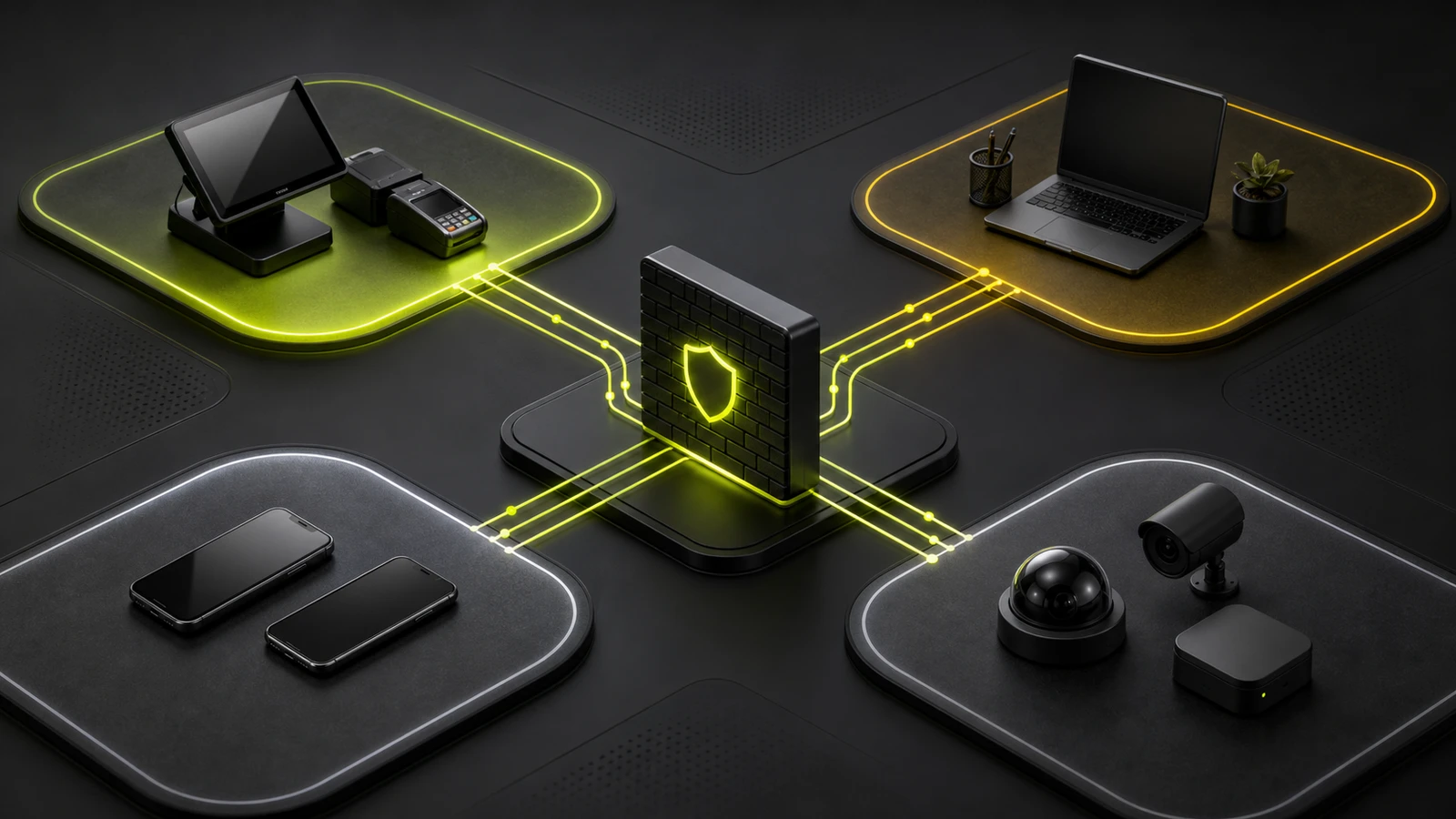
UPS for POS Systems: Size Backup Power Correctly
Build a defensible POS backup-power plan by separating critical loads, adding capacity headroom, checking runtime curves, and testing recovery.
- Written by
- Clayton Wingfield
- Reviewed by
- Clayton Wingfield
- Originally published
- Jul 20, 2026
- Last reviewed
- Jul 20, 2026
Quick verdict
Back up the smallest complete checkout path, calculate watt and VA capacity with at least 20% planning headroom, then select and test runtime at the actual connected load.
- Best for
- Small retailers and service counters that need to ride through brief power interruptions, shut down cleanly, or bridge to a generator.
- Avoid if
- The site needs hours of full operation, must support large facility loads, or requires electrical work and redundancy beyond a desktop or rack UPS.
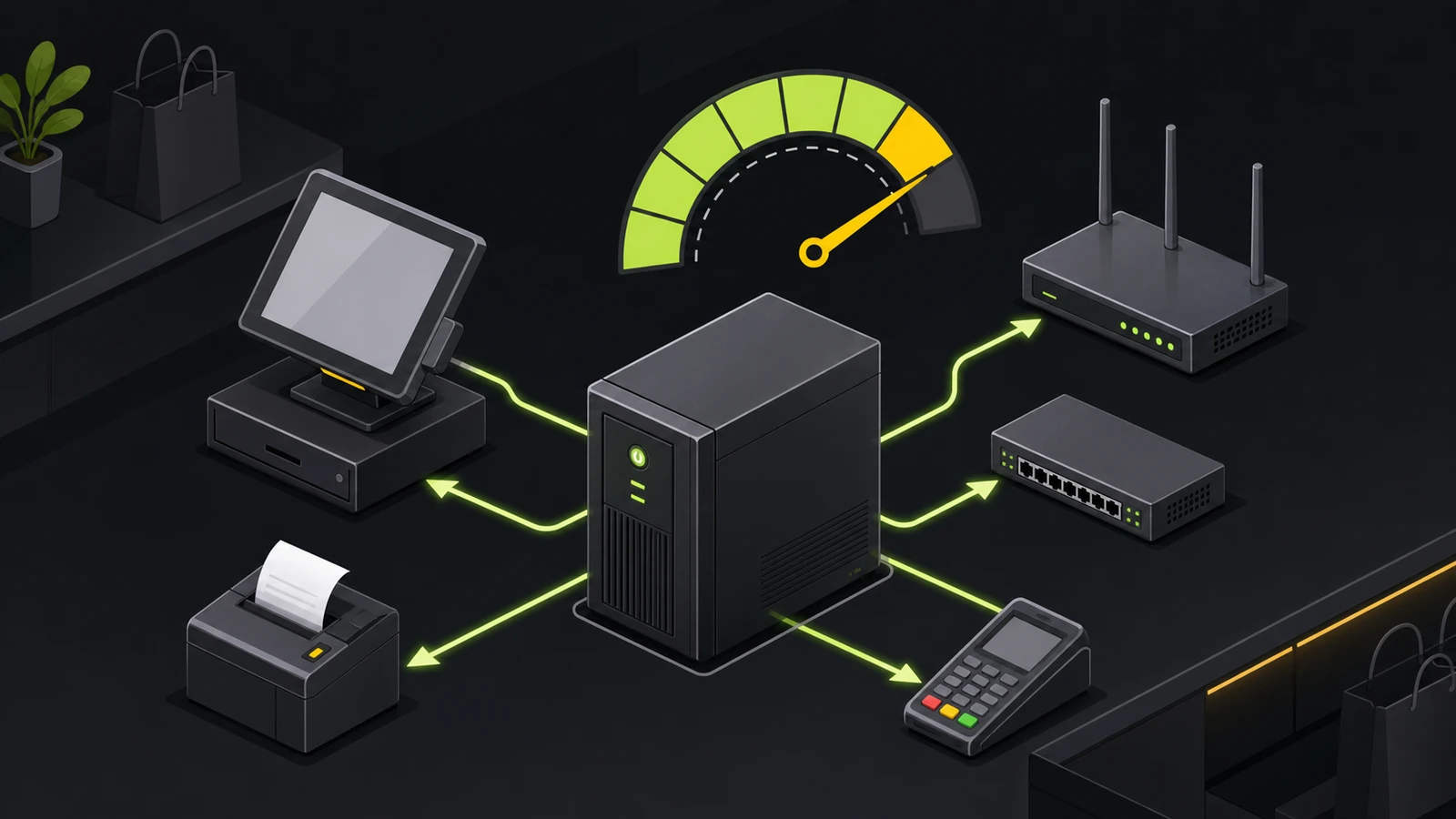
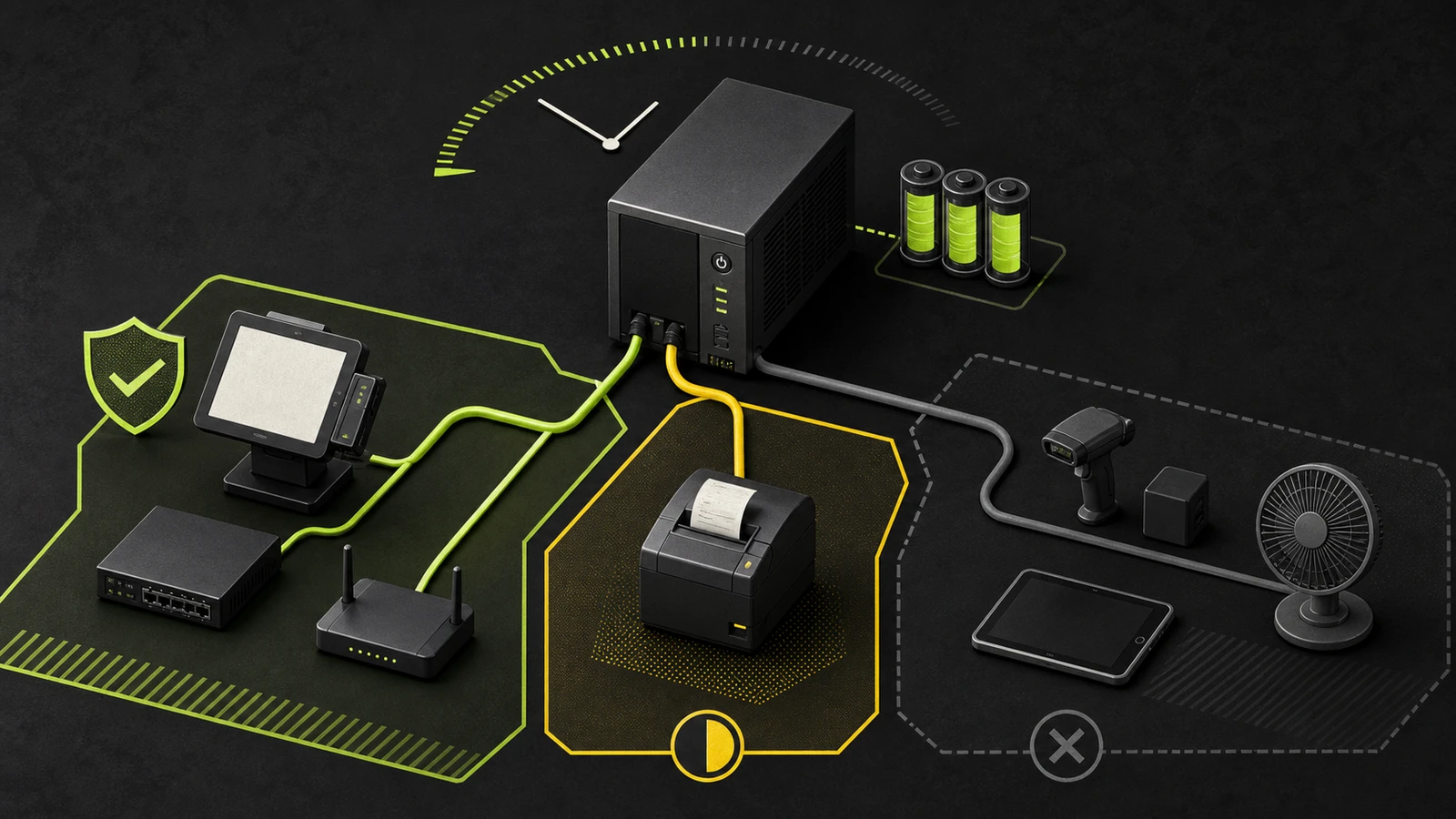
A UPS for a POS system should keep the smallest complete checkout path alive for a defined period, not every device behind the counter. Start with the terminal, payment hardware, router or gateway, modem or fiber ONT, and any network switch or access point that the lane actually needs. Add a receipt printer only after checking its maximum input and its effect on runtime.
Size the system twice: once for electrical capacity and again for battery runtime. The UPS must pass both tests. A unit can have enough watt capacity to avoid overload yet still provide too little runtime for the outage plan.
This is researched planning guidance, not a recommendation for one UPS model. Devicefield did not measure a live checkout lane or test battery runtime. Use the nameplates, manuals, and measured load for your equipment before buying.
Decide what the UPS must accomplish
Write the outage goal before comparing VA ratings.
- Ride through short interruptions: keep transactions and network sessions alive through brief power drops.
- Provide shutdown time: preserve enough power to finish the current transaction, close applications, and shut equipment down cleanly.
- Bridge to a generator: keep the critical load stable until a properly installed generator takes over.
- Operate through a longer outage: use a UPS designed for extended runtime or a broader backup-power system. A small desktop UPS is usually the wrong tool for hours of normal operation.
The U.S. Department of Energy's business disruption guidance recommends identifying vital systems, sizing backup power for them, and testing the backup plan periodically. That sequence fits a retail lane: define what must work, calculate its load, then verify the result under controlled conditions.
A UPS does not make the payment processor, cloud POS, or internet provider available. It can power local network equipment, but an upstream ISP or platform outage can still stop online authorization. Pair electrical backup with the POS platform's documented offline-payment policy, a staff procedure, and a way to identify transactions that still need to upload.
Build the critical-load list
Trace the transaction from the cashier to the outside network. For each device, record its purpose, power source, maximum watts, VA or input amps, and whether checkout fails without it.
Start with:
- POS terminal, tablet dock, or workstation.
- Payment reader or customer display when it has a separate supply.
- Router, firewall, or gateway.
- Cable modem, fixed-wireless gateway, or fiber ONT.
- Network switch and any powered access point required by the lane.
- Receipt printer only when a paper receipt is operationally required during the outage.
Do not automatically add barcode scanners, cash drawers, kitchen displays, office computers, signage, phone chargers, and convenience outlets. A USB scanner may already draw power from the POS terminal. A cash drawer may be driven by the receipt printer. Mapping those dependencies avoids counting a load twice.
This same dependency check is useful when planning a Square barcode-scanner setup or comparing Shopify POS receipt-printer connection paths: the port diagram and the power diagram are two views of the same lane.
Size both capacity and runtime
Record both watts and VA when the manufacturer provides them. Watts represent real power; VA represents apparent power. A UPS has limits for both, and neither should be exceeded.
If a device lists voltage and amperage rather than VA, multiply volts by amps to estimate its maximum VA. If it lists watts and power factor, divide watts by the power factor to estimate VA. Eaton's current UPS sizing guide documents those calculations and recommends capacity above the connected requirement.
Use this worksheet:
- Add the maximum watts for every battery-backed device.
- Add the VA values separately. Do not treat a high VA label as proof of a high watt rating.
- Add headroom. Schneider Electric recommends UPS watt capacity about 20–25% above the attached load; Eaton's sizing material uses at least 15% for growth. For a small POS plan, using 20% as the minimum planning margin is a clear, conservative starting point.
- Confirm that both the UPS watt rating and VA rating exceed the corresponding totals with that margin.
- Find the manufacturer's runtime curve for the exact model at the calculated watt load.
- Select a runtime that meets the written outage goal, then leave operational margin for battery aging and environmental conditions.
For a hypothetical lane totaling 180 watts, a 20% planning margin produces a minimum output target of 216 watts. That calculation checks capacity only. It says nothing about whether the battery will last five minutes or thirty. Use the model's published runtime curve at 180 watts, not a runtime headline measured at an undisclosed or lighter load.
CyberPower's runtime calculator makes the limitation explicit: its estimates depend on model and watt load, and actual runtime can vary with battery age, charge, environment, and other conditions. Treat every vendor curve as a planning estimate until the installed lane passes an outage test.
Choose the UPS class by outage goal
The Department of Energy groups UPS designs by how much power conditioning they provide: voltage-and-frequency dependent, voltage independent, and voltage-and-frequency independent. Product pages more often call these standby, line-interactive, and online or double-conversion designs.
- Standby: appropriate when the utility supply is generally stable and the goal is short backup for a modest load.
- Line-interactive: adds voltage regulation and is a practical fit where sags or brownouts are part of the problem, not only total outages.
- Online or double-conversion: provides the highest isolation and conditioning but generally costs more and uses more energy. It fits genuinely critical or electrically difficult environments, not every single-lane counter.
DOE advises choosing the lowest protection level that meets the application because higher conditioning can reduce efficiency. Also check outlet type, output waveform requirements, transfer behavior, audible alarms, replaceable-battery availability, monitoring, warranty, and whether the unit supports an external battery pack. An external pack increases runtime on compatible systems; it does not increase the UPS's watt or VA capacity.
Protect the entire network path
Keeping the POS screen lit is not enough if the router or ONT loses power in another room. Follow the cable from the lane to the demarcation point and identify every powered device in between.
For a small store, one UPS may protect the counter while another protects the network closet. That can be cleaner than running long power cords or trying to place unrelated circuits on one battery. If a managed switch powers access points or other devices through Power over Ethernet, count its real load under normal peak operation, not only the switch chassis rating.
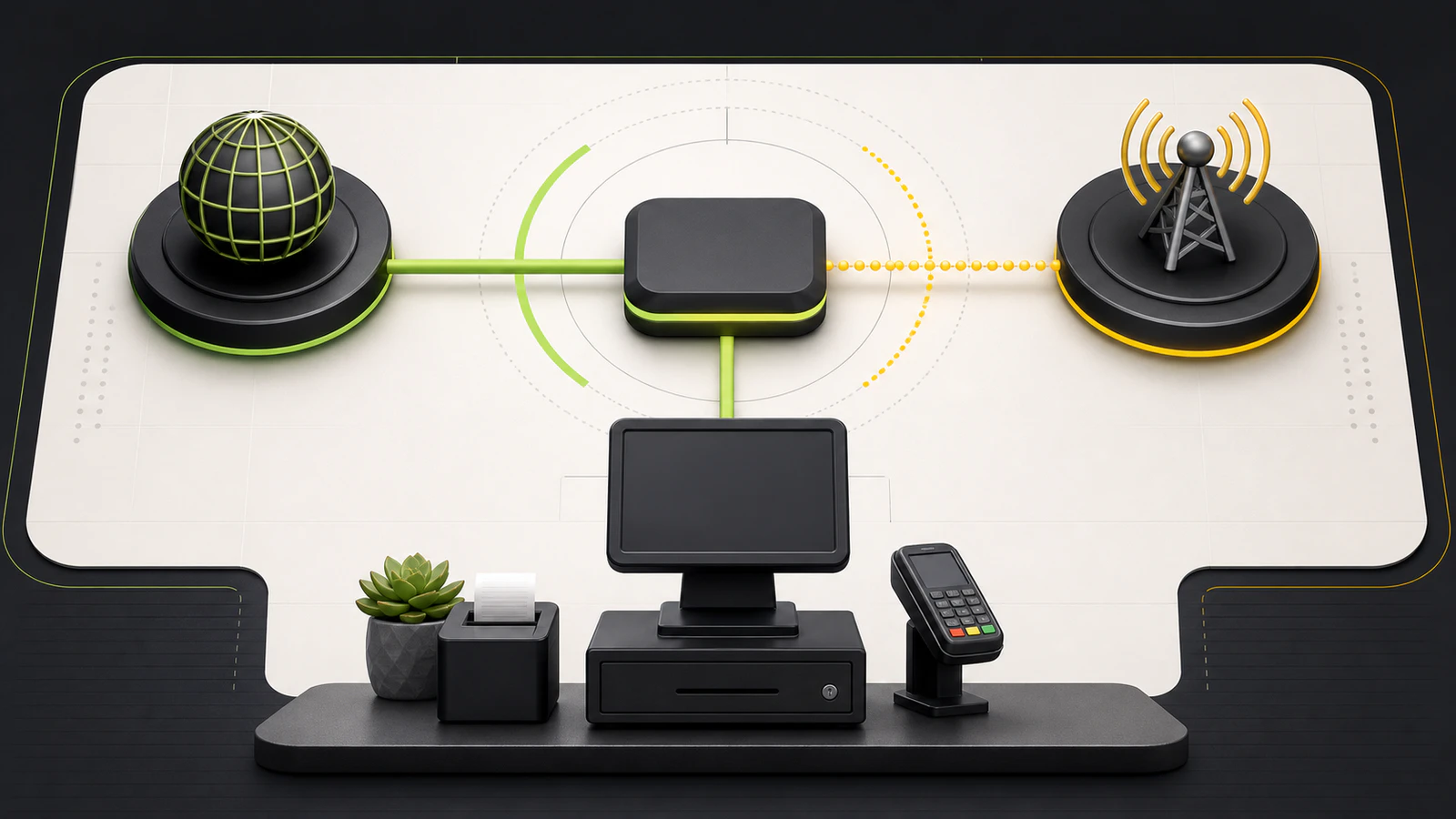
Cellular failover solves a different failure. It can replace a failed internet path, but the gateway and network still need electricity. A useful continuity plan may therefore include both a UPS and a tested secondary connection.
Install the UPS without creating a new failure
Follow the exact manual, outlet rating, grounding requirements, clearances, and environmental limits for the selected unit. Do not improvise building wiring or generator connections; use a qualified professional where electrical work or code compliance is involved.
During installation:
- Put only critical equipment on battery-backed outlets.
- Use surge-only outlets for secondary devices when the unit provides them.
- Label every plug at both ends.
- Keep the UPS ventilated and away from heat, moisture, and blocked air paths.
- Confirm the connected-load indicator stays comfortably below the unit's limit.
- Document which equipment must be shut down first as runtime falls.
A receipt printer is a conditional load, not an automatic one. Check its documented maximum input and the UPS manufacturer's guidance for that load type. If it consumes too much of the runtime budget, keep digital receipts available or give the printer its own appropriately sized protection rather than sacrificing the network path.
Commission the POS backup-power plan
Schedule the first test outside business hours and notify anyone responsible for the network or alarm system. Fully charge the UPS according to its manual, start the normal POS workload, and record the load shown by the UPS or a suitable meter.
Then simulate loss of utility input using the manufacturer's approved test procedure. Verify:
- The POS terminal remains stable.
- The reader stays connected.
- The router, ONT, switch, and access point remain online.
- A test transaction follows the platform's expected online or offline path.
- The receipt printer behaves as planned.
- Staff can see and hear the UPS alarm.
- Runtime is sufficient to execute the written response.
- Power restoration does not leave equipment disconnected or transactions stranded.
Do not deliberately process a real card payment solely for the test unless the processor provides an approved test method. The goal is to verify system behavior without creating an unnecessary financial transaction.
Maintain and recover the system
Battery capacity declines with age and conditions, so the commissioning result is not permanent. DOE's purchasing guidance says UPS batteries and capacitors should be checked periodically according to manufacturer instructions.
Keep a simple maintenance record with the unit model, serial number, installation date, battery replacement date, protected load, last self-test, last controlled outage test, observed runtime, and alarm history. Recalculate the load after adding a terminal, display, access point, switch, or printer.
Replace a battery or UPS when the self-test fails, runtime no longer meets the plan, the unit reports a persistent fault, the battery is swollen or leaking, or the manufacturer says the unit is no longer serviceable. Isolate unsafe equipment and follow the manufacturer's handling and recycling instructions.
Total cost and alternatives
The purchase price is only one part of the decision. Budget for replacement batteries, monitoring or network-management accessories, external battery packs when supported, professional electrical work when required, and staff time for testing and maintenance. A less expensive UPS that lacks a replacement battery or adequate runtime can cost more to operate than a correctly sized unit.
Avoid a desktop UPS as the primary answer when the business needs hours of full operation, must support HVAC or other large loads, has unsafe or noncompliant wiring, or requires facility-level redundancy. Those cases call for an electrician, power-quality specialist, generator or energy-storage plan, and documented transfer equipment.
For more planning context, use the Networking & Uptime coverage and Devicefield's research and testing methodology.
Limitations of this guide
This article is based on current manufacturer sizing documentation and U.S. Department of Energy guidance. Devicefield did not test a UPS, measure a checkout lane, verify a specific product's waveform compatibility, or confirm runtime in a real outage. Product manuals, local electrical codes, battery chemistry, utility conditions, and POS dependencies vary. Verify the exact load and installation requirements for your site.
Frequently asked questions
Is VA or watts more important for a POS UPS?
Both matter. Compare total real load with the UPS watt rating and total apparent load with its VA rating. The UPS must have enough capacity on both limits, plus reasonable headroom.
Should the router be on the same UPS as the POS terminal?
It can be, when the devices are close and the combined load and runtime fit. If the modem, ONT, switch, or router is in another room, a separate UPS at the network location is often cleaner and safer than extending power across the store.
How much UPS runtime does a retail checkout need?
There is no universal number. Choose the time required to ride through a brief interruption, shut down cleanly, or bridge to generator power. Then verify the exact UPS runtime curve at the calculated load and test the installed system.
Can a UPS keep card payments working when the internet is down?
Not by itself. A UPS can power the local network path, but it cannot restore a failed ISP or payment platform. Use the processor's documented offline-payment rules or a tested secondary connection as part of the outage plan.
Should a receipt printer be battery-backed?
Only when paper receipts are necessary during the outage and the printer's maximum load fits the capacity and runtime budget. Protecting the terminal and full network path usually comes first.
Compatibility notes
Systems, accessories, and constraints
The method applies to small U.S. POS and network loads, but each UPS must be checked against the exact device wattage, VA, input, outlet, waveform, transfer, grounding, environment, and runtime requirements. Offline payments and cellular failover are separate system capabilities.
Testing methodology
How this article was evaluated
Reviewed current Schneider Electric and Eaton sizing guidance, Eaton UPS fundamentals, CyberPower runtime methodology, U.S. Department of Energy UPS efficiency and business-disruption guidance, current POS-focused search results, and an official B&H affiliate program and live UPS category.
Known limitations
What this guide could not verify
Research-only guidance. Devicefield did not test a UPS, measure a live checkout lane, verify a specific product's waveform compatibility, or confirm runtime in an outage. Product manuals, local codes, battery conditions, and POS dependencies vary.
Sources
Documentation and references
- UPS buying guide: Choose the right battery backup - Supports watts versus VA, 20–25% output-watt headroom, critical-load-only planning, surge-only outlets, replaceable batteries, and scalable runtime.
- UPS sizing guide - Supports capacity and runtime as separate requirements, volts-times-amps VA calculation, power-factor conversion, and growth allowance.
- Purchasing Energy-Efficient Uninterruptible Power Supplies - Supports UPS topology tradeoffs, application-based selection, and periodic maintenance of batteries and capacitors.
- Runtime Calculator - Supports model- and load-specific runtime estimates and limitations related to battery age, charge, environment, and operating conditions.
- Business Owners: Prepare for Utility Disruptions - Supports identifying vital equipment, sizing backup power, following installation requirements, and periodically testing a disruption plan.
- Eaton UPS and Power Management Fundamentals Handbook - Supports watts, VA, power-factor calculations, output-capacity margin, and UPS architecture concepts.
- UPS Buying Guide: Battery Backup for Network Closets - Supports protecting network-path equipment, separating critical loads, checking watt ratings, runtime behavior, and the fact that external battery packs extend runtime without raising power capacity.
- Safety Guidelines for Smart-UPS, Back-UPS, and Surge Products - Supports ventilation and environment precautions, replacement alerts, and escalation for swollen or leaking APC batteries.
Devicefield checklist
Make the next hardware decision with fewer surprises.
Get practical buying notes, compatibility checks, and new troubleshooting guides.
Frequently asked questions
Is VA or watts more important for a POS UPS?
Both matter. Compare total real load with the UPS watt rating and total apparent load with its VA rating. The UPS must have enough capacity on both limits, plus reasonable headroom.
Should the router be on the same UPS as the POS terminal?
It can be when the devices are close and the combined load and runtime fit. If the modem, ONT, switch, or router is in another room, a separate UPS at the network location is often cleaner and safer than extending power across the store.
How much UPS runtime does a retail checkout need?
There is no universal number. Choose the time required to ride through a brief interruption, shut down cleanly, or bridge to generator power. Then verify the exact UPS runtime curve at the calculated load and test the installed system.
Can a UPS keep card payments working when the internet is down?
Not by itself. A UPS can power the local network path, but it cannot restore a failed ISP or payment platform. Use the processor's documented offline-payment rules or a tested secondary connection as part of the outage plan.
Should a receipt printer be battery-backed?
Only when paper receipts are necessary during the outage and the printer's maximum load fits the capacity and runtime budget. Protecting the terminal and full network path usually comes first.