Epson TM-m30III vs. Star mC-Print3 for Shopify POS
Compare Epson TM-m30III and Star mC-Print3 for Shopify POS by connection path, multi-tablet use, accessories, pricing, and deployment risk.
- Written by
- Clayton Wingfield
- Reviewed by
- Clayton Wingfield
- Originally published
- Jul 19, 2026
- Last reviewed
- Jul 19, 2026
Quick verdict
Choose the Epson TM-m30III for most new Shopify POS counters because its current supported configuration offers clearer connection flexibility and multi-tablet network use. Choose a Star mC-Print3 only for a verified single-device Bluetooth setup or an existing fleet.
- Best for
- New fixed counters, especially stores that may share a network printer across multiple tablets or change connection methods later.
- Avoid if
- You cannot verify the exact printer variant, interface, tablet, operating system, connection path, and required accessories before purchase.
Both the Epson TM-m30III and Star Micronics mC-Print3 work with Shopify POS, but the safer choice depends less on headline print speed than on the exact connection path behind the counter.
For most new U.S. Shopify POS installations, choose the Epson TM-m30III. Shopify's current listing is $289, its supported configuration includes Bluetooth, Ethernet, Wi-Fi, and USB, and Shopify documents network sharing and backup-printer behavior. Choose the Star mC-Print3 when you already have a compatible unit or want a simple one-device Bluetooth counter and have verified the exact model number. The mC-Print3 name covers several interface combinations, while Shopify's current U.S. MCP31CBI listing was marked sold out when checked.
This is a researched comparison. Devicefield verified current Shopify and manufacturer documentation but did not measure print speed, reconnect time, noise, or long-term failure rates. See how Devicefield labels researched coverage.
Quick answer: Epson wins most Shopify POS counters
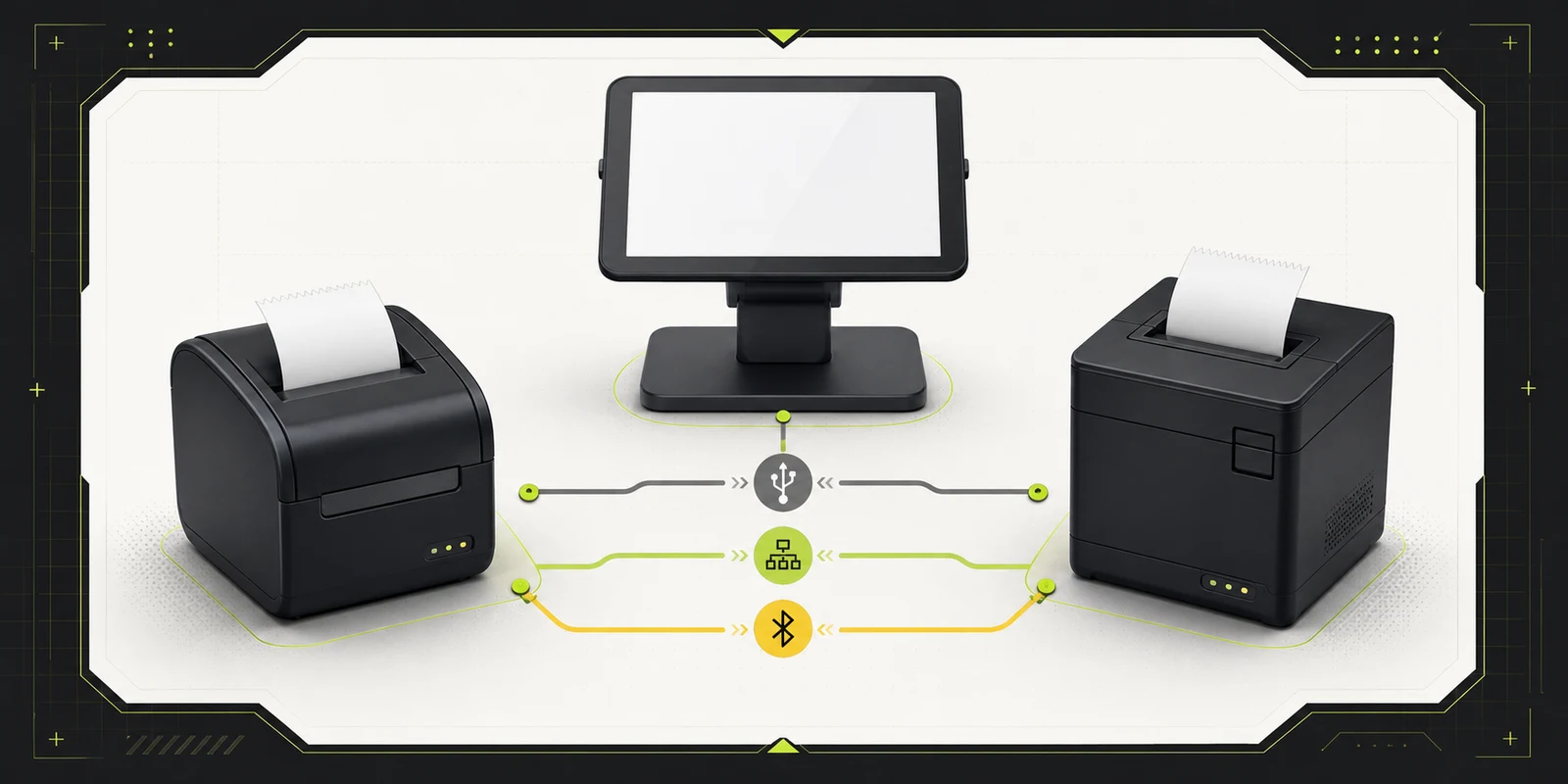
The Epson TM-m30III is the better default for a new fixed counter. It gives a retailer more supported ways to connect now and more room to change the layout later. A single tablet can use Bluetooth. An iPad or Android tablet can use Ethernet. Android can use Wi-Fi or direct USB-C, and a compatible iPad can use USB through the Shopify POS Hub. Shopify also documents multiple tablets sharing the Epson over a network connection.
The Star mC-Print3 is the narrower recommendation. It can be a good Bluetooth printer for one tablet, and Shopify documents USB, Ethernet, and MCW10 wireless-adapter paths for compatible mC-Print3 variants. The catch is the model family: MCP31LB, MCP31CI, and MCP31CBI don't expose identical interfaces. Buying by the family name alone is a deployment risk.
Neither printer earns a reliability win from specification sheets. Shopify recommends USB through the POS Hub as the most reliable connection for both families, but Devicefield did not verify that claim with hands-on failure testing.
Key differences at a glance
- Best fit: Epson suits new counters that may need wired, wireless, or multi-tablet flexibility. Star suits existing mC-Print3 fleets or a verified single-tablet Bluetooth setup.
- Current U.S. Shopify price checked July 18, 2026: Epson was $289. The Star MCP31CBI listing was $299 and marked sold out.
- Shopify-documented paths: Epson supports POS Hub USB, Bluetooth, Ethernet, Android or POS Go Wi-Fi, and Android USB-C in documented configurations. Compatible Star variants support POS Hub USB, Bluetooth, Ethernet, Android USB-B, or an MCW10 adapter.
- Multiple tablets: Shopify documents simultaneous network connections for Epson. Its Star troubleshooting page says the mC-Print3 connects to only one device at a time.
- Paper in Shopify POS: Both use 80 mm receipt paper in the documented Shopify workflow.
- Important purchase trap: Epson's Ethernet-only variant isn't supported and its wireless hardware is configuration-dependent. The Star family name doesn't guarantee Bluetooth, LAN, or identical USB behavior.
The listed prices are a point-in-time U.S. comparison, not a promise of availability. The $10 difference is too small to outweigh the cost of buying the wrong interface.
Choose the connection before the printer
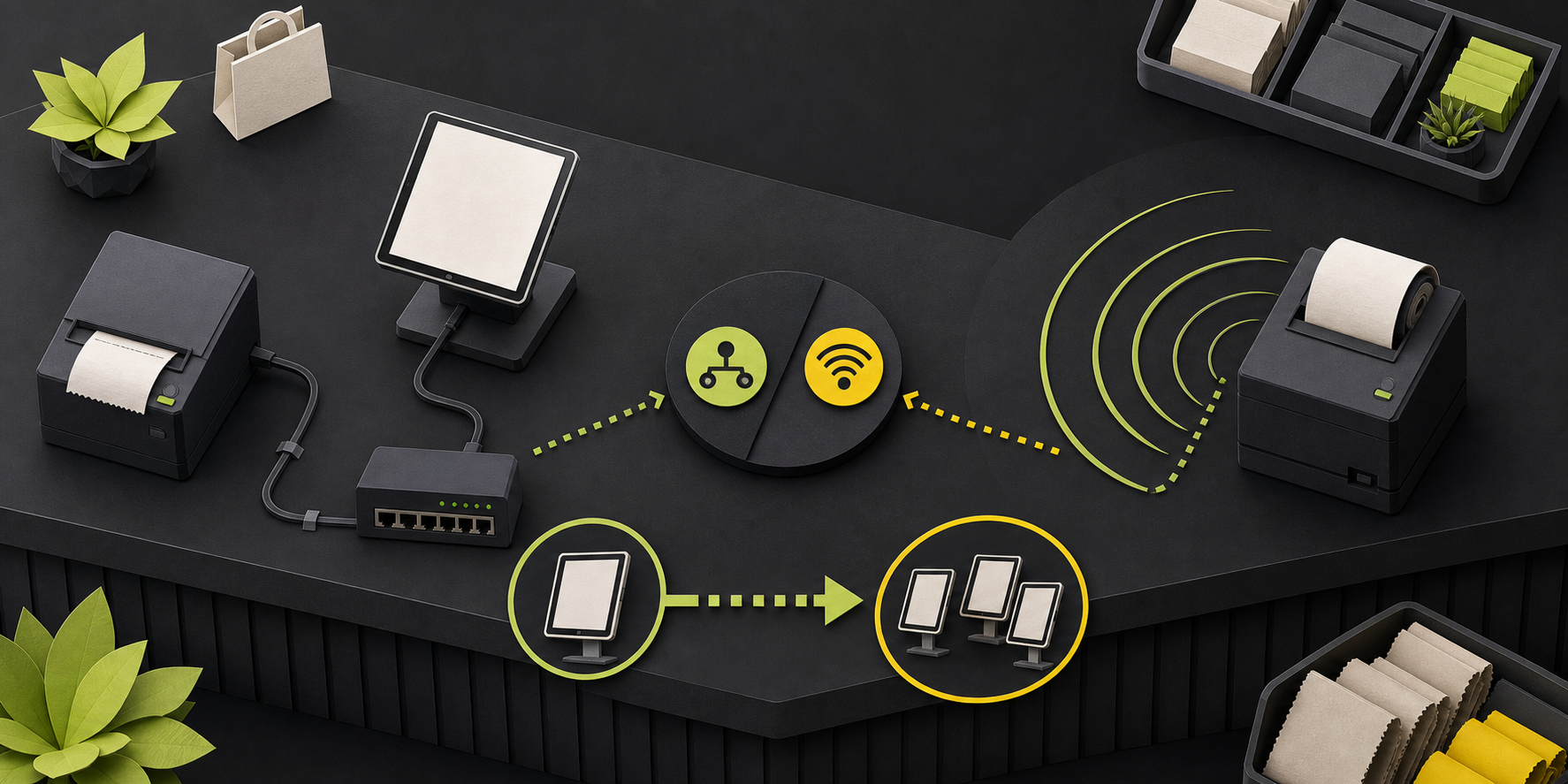
The connection choice determines how many tablets can print, which accessories are required, and what fails when the network or Bluetooth pairing breaks.
One fixed iPad counter
Start with USB through the Shopify POS Hub if you want the connection Shopify recommends for reliability. Both printer families are documented for this path, but the exact cable and printer interface still matter. Shopify says the POS Hub now requires iPadOS 18 or later and recommends iPadOS 26 or later for the most reliable operation, so an older iPad may turn the hub into a hidden upgrade cost.
Bluetooth avoids the hub and is easier to place, but it ties the printer to a local radio connection. It is reasonable for one counter where the tablet and printer stay together. Avoid assuming a Bluetooth-ready mC-Print3 just because the listing says “mC-Print3”; confirm the full model number first.
Several tablets sharing one printer
Prefer the Epson over Ethernet. Shopify's Epson setup guide explicitly says multiple tablets can connect to the same printer simultaneously when every tablet uses a network connection. It also documents a checkout fallback that lets staff select another network printer if the default disconnects.
That doesn't guarantee a trouble-free network. It does give a multi-counter store a documented operating model that is clearer than pairing one Bluetooth printer to several devices.
Android counter without a POS Hub
The Epson provides the clearest documented choices: direct USB-C, Ethernet, Bluetooth, or Wi-Fi. Shopify limits Epson Wi-Fi setup to Android devices and POS Go. The Star can use direct USB-B with Android, Bluetooth on a compatible model, Ethernet on a LAN-capable model, or the separate MCW10 adapter.
For either printer, use one connection type at a time. Shopify warns that mixing connection types on the Epson can make it unresponsive or cause incorrect printing.
Epson TM-m30III: best for flexible counter layouts
The Epson wins when a store wants one printer model that can cover more than one layout. The current U.S. Shopify configuration lists Bluetooth, Ethernet, Wi-Fi, and USB. Epson's product documentation also lists built-in USB-A, USB-B, USB-C, and Ethernet, with Wi-Fi and Bluetooth provided by an optional dual-wireless interface.
That last detail matters: “TM-m30III” is still a family, not one universal port bundle. Shopify says its Ethernet-only variant isn't supported, and the wireless interface is configuration-dependent. Record the exact part number before ordering replacements across locations.
Operational advantages include:
- A documented network-sharing path for multiple tablets.
- A documented backup-printer selection flow in Shopify POS.
- Front- or top-exit orientation, which can help when counter depth or spill exposure determines placement.
- A current U.S. Shopify listing that was available at $289 when checked.
Avoid the Epson if your store plans to use 58 mm receipt paper. The hardware can accept 58 mm media, but Shopify POS supports only 80 mm. Also avoid buying the Ethernet-only variant on the assumption that all TM-m30III models are supported.
Star mC-Print3: best for a verified Bluetooth setup
The Star is a practical choice when you already own a supported unit, maintain an existing Star deployment, or need a compact Bluetooth printer paired to one iPad, iPhone, or Android device. Shopify's U.S. store page for MCP31CBI lists Bluetooth 4.0 LE, 80 mm paper, and a 300 mm-per-second maximum print specification.
The main weakness is procurement clarity. Shopify's mC-Print3 setup guide names MCP31LB for Bluetooth instructions, while the current U.S. store listing uses MCP31CBI. Star's broader product page describes several second-generation interface combinations. These aren't interchangeable details.
Before buying, require the seller to state:
- The complete model and part number.
- Whether Bluetooth, Ethernet, and USB data are present.
- Whether the included cable matches the tablet, POS Hub, or Android device.
- Whether an MCW10 adapter is required for the intended wireless path.
- Whether the exact variant is supported by Shopify POS in the store's country.
Avoid the Star when multiple tablets must share one printer. Shopify's troubleshooting guidance says the mC-Print3 can connect to only one device at a time and advises unpairing it before moving to another device.
Required accessories and setup cost
Both printers need 80 mm thermal receipt paper and an AC outlet. The rest of the bill depends on the connection.
- POS Hub USB: Add the Shopify POS Hub and the correct printer cable. Confirm the tablet and operating-system requirements before purchase.
- Ethernet: Add an Ethernet cable, an available switch or router port, and a network design that keeps the POS device and printer reachable to each other.
- Bluetooth: No network cable is required, but the printer must have the right Bluetooth interface and should be assigned to one counter.
- Epson Wi-Fi: Confirm the wireless interface is installed and that the POS device is Android or POS Go for the Shopify-documented setup path.
- Star wireless adapter: Budget for the MCW10 when that is the chosen route; don't confuse an adapter-based path with built-in Wi-Fi.
- Cash drawer: Confirm the drawer is supported and that its cable connects to the receipt printer, not directly to the tablet.
If the counter also needs barcode scanning, the Zebra DS2208 Shopify POS compatibility guide explains how scanner connection choices interact with the same tablet and POS Hub. Broader printing coverage is collected under Receipt & Label Printing.
Reliability and recovery considerations
Connection design is more useful than a generic “reliable printer” label. A POS Hub USB failure affects the hub, cable, power, tablet port, or printer interface. An Ethernet failure adds the local network. Bluetooth adds pairing state and radio range. Wi-Fi adds access-point configuration and wireless credentials.
For either model, print a test receipt after setup and after any app, operating-system, router, or printer-firmware change. Save a self-test printout with the deployment record; it can expose firmware and interface settings when the POS app says the printer is offline.
The Epson has two documented recovery advantages for a multi-counter store: network sharing and backup-printer selection. Its important failure-specific caveats are 80 mm configuration, the unsupported Ethernet-only variant, and Secure Printing on affected Radio Equipment Directive models. Shopify says affected units require Secure Printing to be disabled before pairing will work.
The Star's main recovery constraint is device ownership. If a unit won't connect, confirm it isn't still paired with another tablet before resetting network or Bluetooth settings. A reset is disruptive, so record the existing model and interface settings first.
Pricing and purchase risk
On July 18, 2026, Shopify's U.S. hardware store listed the Epson TM-m30III at $289 and the Star MCP31CBI at $299. The Star page was marked sold out. At the same time, a Shopify help page said the mC-Print3 wasn't sold through the hardware store, creating a documentation conflict.
Treat both price and availability as volatile. More importantly, don't substitute a similarly named model from a marketplace without checking its interface and regional support. A lower price on the wrong SKU can create adapter costs, delayed opening, or a printer that works with the manufacturer's utility but not with the intended Shopify POS path.
Limitations of this comparison
Devicefield did not use either printer hands-on. Manufacturer and Shopify maximum print-speed specifications aren't a checkout benchmark, and no conclusion here depends on a claimed speed advantage. Reconnect behavior, cutter life, noise, receipt quality, paper savings, and long-term support response weren't independently measured.
Shopify's pages also contain current inconsistencies around mC-Print3 availability and supported variants. Verify the exact SKU, country, tablet, operating system, connection, and included cables before purchase.
Verdict
Buy the Epson TM-m30III for a new Shopify POS counter unless a specific reason points elsewhere. It has the clearer current procurement path, more documented connection options, and a better-supported multi-tablet network workflow.
Choose the Star mC-Print3 for a one-device Bluetooth counter or an existing Star fleet only after verifying the full model number. The mC-Print3 label alone isn't enough to specify the interfaces you will receive.
Frequently asked questions
Does Shopify POS support both printers on iPad?
Yes. Both support Bluetooth on compatible variants and USB through a compatible Shopify POS Hub. Ethernet is also documented for iOS. Direct USB without the hub isn't the documented iPad path.
Can several Shopify POS tablets share one receipt printer?
Shopify explicitly documents simultaneous network connections for the Epson TM-m30III. Its mC-Print3 troubleshooting page says the Star can connect to only one device at a time. For several counters, use the Epson over Ethernet and test the complete network workflow.
Can Shopify POS print 58 mm receipts on the Epson?
No. The TM-m30III hardware accepts 58 mm paper, but Shopify POS supports only 80 mm receipt paper. Configure the printer for 80 mm before troubleshooting layout or print failures.
Is the Shopify POS Hub required?
Not for Bluetooth or Ethernet. Android also has direct USB options, and Shopify documents Wi-Fi for the Epson on Android and POS Go. The hub is required for Shopify's supported USB path on iPad and is the connection Shopify recommends for reliability.
Compatibility notes
Systems, accessories, and constraints
Both families are supported by Shopify POS, but exact variants matter. Epson supports POS Hub USB, Bluetooth, Ethernet, Android or POS Go Wi-Fi, and Android USB-C in documented configurations; Shopify does not support the Ethernet-only variant and supports only 80 mm paper. Compatible Star variants support POS Hub USB, Bluetooth, Ethernet, Android USB-B, or an MCW10 adapter path. Confirm full model numbers and cables.
Testing methodology
How this article was evaluated
Compared current Shopify support, setup, troubleshooting, POS Hub, and U.S. hardware-store documentation with Epson and Star manufacturer pages. Evaluated connection paths, multi-tablet behavior, accessories, model risk, current price context, and recovery constraints. No hands-on testing was performed.
Known limitations
What this guide could not verify
Research-only comparison. Devicefield did not measure print speed, reconnect behavior, cutter life, noise, receipt quality, paper savings, or long-term support. Shopify documentation currently conflicts with its U.S. store listing about mC-Print3 availability, so price, stock, regional support, and exact variants require rechecking before purchase.
Sources
Documentation and references
- Global selection of Shopify POS receipt printers - Supports current regional Shopify POS support for the Epson TM-m30III and Star mC-Print3 and documents the mC-Print3 availability statement.
- Requirements for using the Epson TM-m30III receipt printer - Supports Shopify POS device requirements, USB and Ethernet prerequisites, unsupported Ethernet-only variant, Android-only Wi-Fi, and 80 mm paper limitation.
- Setting up the Epson TM-m30III receipt printer - Supports the Epson connection matrix, one-connection-type warning, multi-tablet network sharing, and backup-printer workflow.
- Troubleshooting the Epson TM-m30III receipt printer - Supports the 80 mm Shopify POS configuration and Secure Printing limitation for affected RED models.
- Requirements for using the Star Micronics mC-Print3 Receipt Printer - Supports Shopify POS device requirements, iPad POS Hub requirement for USB, and Shopify's statement that the mC-Print3 must be purchased from a third party.
- Setting up the Star Micronics mC-Print3 Receipt Printer - Supports POS Hub USB, Bluetooth, Android USB-B, Ethernet, and MCW10 connection paths and identifies MCP31LB in the Bluetooth instructions.
- Troubleshooting the Star Micronics mC-Print3 Receipt Printer - Supports the one-device connection limitation, reset guidance, and self-test information.
- Shopify POS Hub - Supports compatible receipt printers and the current iPadOS requirement for Shopify POS Hub.
- Epson OmniLink Receipt Printer - Supports current U.S. $289 price, listed interfaces, 300 mm/s maximum specification, and Shopify-specific connection limitations.
- Star Micronics mC-Print3 Receipt Printer - Supports current U.S. $299 price, sold-out state, MCP31CBI model, Bluetooth interface, 80 mm paper, and 300 mm/s maximum specification.
- OmniLink TM-m30III POS Thermal Receipt Printer - Supports Epson interfaces, optional dual-wireless interface, front or top paper exit, and manufacturer specifications.
- mC-Print3 POS Receipt Printer - Supports the mC-Print3 family interface variations and second-generation model distinctions.
Devicefield checklist
Make the next hardware decision with fewer surprises.
Get practical buying notes, compatibility checks, and new troubleshooting guides.
Frequently asked questions
Does Shopify POS support both printers on iPad?
Yes. Both support Bluetooth on compatible variants and USB through a compatible Shopify POS Hub. Ethernet is also documented for iOS. Direct USB without the hub is not the documented iPad path.
Can several Shopify POS tablets share one receipt printer?
Shopify explicitly documents simultaneous network connections for the Epson TM-m30III. Its mC-Print3 troubleshooting page says the Star can connect to only one device at a time. For several counters, use the Epson over Ethernet and test the complete network workflow.
Can Shopify POS print 58 mm receipts on the Epson?
No. The TM-m30III hardware accepts 58 mm paper, but Shopify POS supports only 80 mm receipt paper. Configure the printer for 80 mm before troubleshooting layout or print failures.
Is the Shopify POS Hub required?
Not for Bluetooth or Ethernet. Android also has direct USB options, and Shopify documents Wi-Fi for the Epson on Android and POS Go. The hub is required for Shopify’s supported USB path on iPad and is the connection Shopify recommends for reliability.