Internet Failover for POS Systems: A Safer Setup
Build a POS internet backup that preserves the local checkout network, switches paths automatically, and survives a controlled outage test.
- Written by
- Clayton Wingfield
- Reviewed by
- Clayton Wingfield
- Originally published
- Jul 25, 2026
- Last reviewed
- Jul 25, 2026

Quick verdict
Use one dual-WAN gateway, keep POS devices on the same local network, choose a backup with a different failure domain, and test cable, modem, upstream, and power failures separately.
- Best for
- Retail, restaurant, and service counters that depend on cloud POS or payment connectivity and need automatic recovery from a primary internet outage.
- Avoid if
- The site uses processor-managed networking, complex VPNs, inbound services, or fixed-IP allowlists that have not been verified with every vendor.
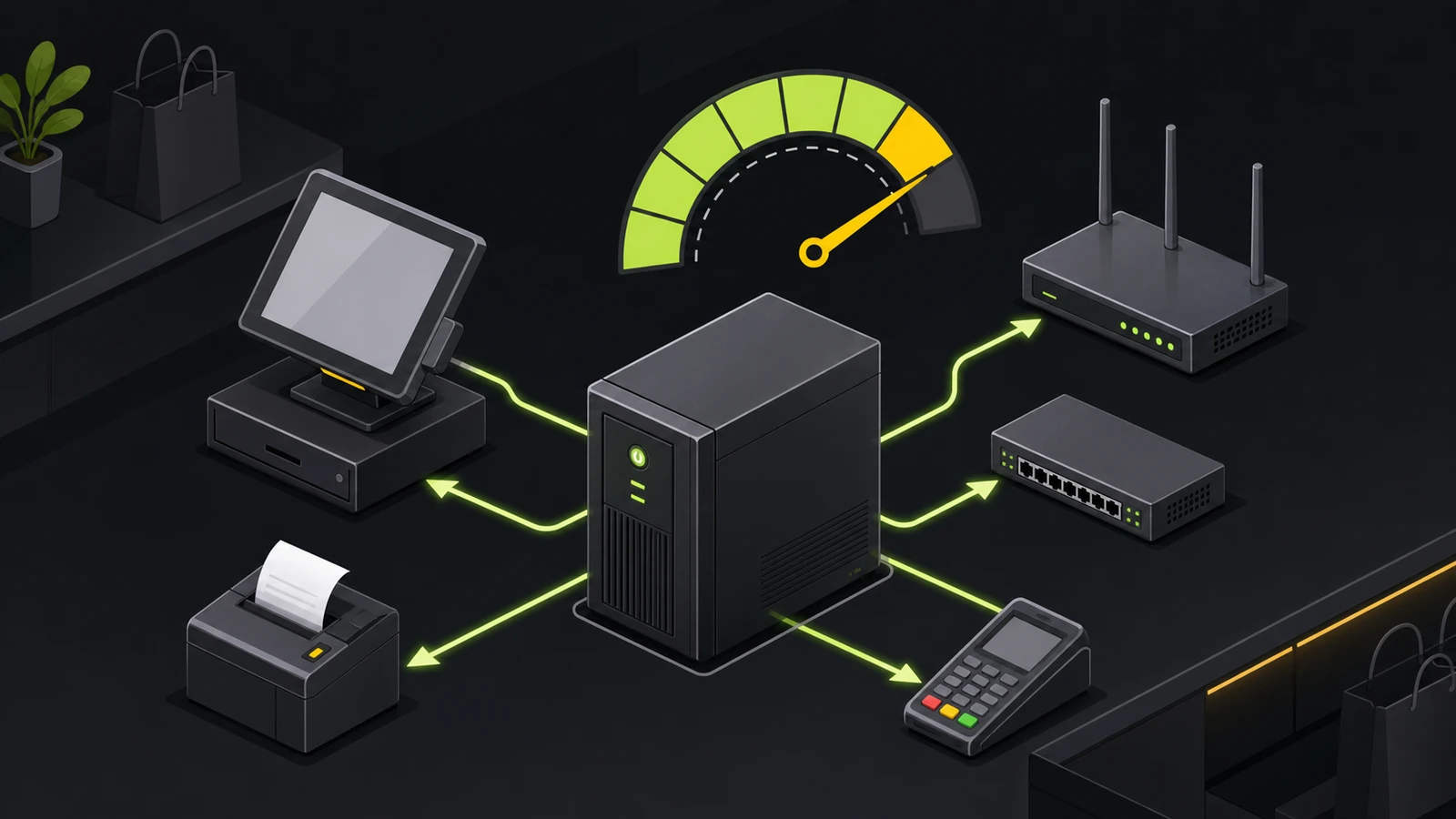
Internet failover for POS systems keeps the checkout network on the same local connection while a dual-WAN gateway moves internet traffic to a second path. For most small stores, the practical design is one primary wired connection, one genuinely independent backup connection, and automatic failover at the gateway.
That design can reduce outage disruption, but it doesn't guarantee that an in-progress payment session will survive the switch. The POS app, card reader, DNS service, VPN, and payment processor still have to recover after the public IP and network path change. Build the backup around the smallest complete checkout workflow, then test the failures you actually expect.
What internet failover does—and what it does not
Failover and load balancing solve different problems. In failover mode, the gateway prefers one internet connection and moves traffic to the backup only when the primary is judged unavailable. Load balancing spreads connections across multiple paths during normal operation. Ubiquiti's current Multi-WAN documentation describes both behaviors, while Netgate's Multi-WAN concepts note that balancing happens per connection rather than per packet.
For a small retail counter, failover is usually the clearer starting point. It preserves the backup connection for outages, limits accidental cellular usage, and makes testing easier to interpret.
Failover does not replace:
- backup power for the gateway, modem, switch, access point, and checkout device;
- the POS platform's supported offline-payment process;
- a local procedure for cash, receipts, online orders, and delayed synchronization;
- vendor support for applications that depend on a fixed public IP, inbound connection, or persistent VPN.
Plan power and connectivity together. The Devicefield UPS sizing guide explains how to keep the smallest complete checkout path powered instead of backing up unrelated loads.
Prerequisites
Document the current network before changing it:
- exact gateway, modem, switch, and access-point models;
- primary ISP handoff, addressing method, and any static-IP requirements;
- POS terminals, card readers, printers, kitchen displays, online-order devices, and cloud services;
- VLANs, firewall rules, VPNs, DNS settings, and inbound services;
- expected backup duration and the traffic that must continue;
- a maintenance window and a tested rollback plan.
Confirm that the gateway supports at least two usable WAN paths, health monitoring beyond simple link state, automatic failback, and traffic policies if the backup has a data cap. If the current gateway cannot do that safely, replace or professionally redesign the edge before adding a loose hotspot.
Avoid a do-it-yourself migration when the site uses complex site-to-site VPNs, public servers, processor-managed networking, multiple locations with centralized routing, or a fixed-IP allowlist that has not been checked with every vendor.
Choose the backup connection, not just a second bill
The second connection should survive failures that can take down the first. Two services that share the same last-mile cable, building entry, provider equipment, or power source may look redundant on invoices while retaining the same failure point.
Use this decision framework:
Cellular
Cellular is often practical where the wired service is the likely failure. Check signal at the gateway's intended location, carrier diversity from the primary service, data limits, antenna placement, and whether the modem can remain powered through an outage. Treat advertised coverage as a starting point, not proof at the register.
A second wired provider
A second cable, fiber, fixed-wireless, or DSL service can provide more sustained capacity than a limited cellular plan. Ask whether it enters the building by a different route and depends on different neighborhood infrastructure. Without that separation, one damaged line or local power event may affect both.
Satellite or fixed wireless
These can help where terrestrial and cellular options are weak. Verify mounting, obstruction, weather exposure, latency-sensitive applications, data policies, and local installation requirements before treating either as an automatic substitute.
Choose capacity for the essential workload, not the entire normal network. Checkout, payment authorization, DNS, inventory lookup, and necessary order routing should take priority over guest Wi-Fi, cloud backups, cameras uploading off-site, software updates, and staff streaming.
Set up internet failover for a POS network
The exact menu names vary by gateway. Use the current documentation for the installed model and firmware rather than copying another vendor's button sequence.
1. Establish a clean baseline
Confirm that the primary connection, DNS, checkout, printers, card readers, and cloud services work before adding the backup. Save the gateway configuration and record current IP addressing, VLANs, firewall rules, and normal WAN status.
2. Bring up the backup as an independent WAN
Connect the second modem or service to the gateway's designated backup interface. Verify that the gateway receives the expected address and can reach the internet through that interface. Do not move POS devices to a separate temporary Wi-Fi network; the gateway should change the upstream path while the local checkout network stays consistent.
3. Configure priority, not balancing
Set the primary WAN as the preferred path and the second WAN as standby or a lower-priority tier. Disable load balancing unless a documented application need justifies it and the POS, payment, and VPN vendors support connections leaving through different public IPs.
4. Configure meaningful health checks
A physical Ethernet link can remain up while the ISP beyond the modem is unavailable. Use supported internet-reachability checks that test more than the modem itself. Netgate warns that monitoring an address on the modem can hide an upstream failure because the gateway can still reach that local device.
Use multiple stable targets or the gateway vendor's documented automatic health policy where available. Set thresholds carefully: a trigger that is too sensitive can flap between connections, while one that is too relaxed extends a real outage.
5. Restrict nonessential backup traffic
If the gateway supports traffic policies, keep guest Wi-Fi, large backups, media, and update downloads off a capped backup path. Do not create a policy that accidentally prevents POS or DNS traffic from following the failover route.
6. Decide how failback should work
Immediate failback returns traffic as soon as the primary is declared healthy; graceful failback may wait for current sessions to finish or age out. The right choice depends on the gateway and application behavior. A recovered link that is still unstable can make immediate failback worse than remaining temporarily on a healthy backup.
7. Preserve security controls
The backup path should pass through the same managed gateway, firewall policy, network segmentation, and logging as the primary. A phone hotspot used as a new Wi-Fi network changes the path and can bypass the design staff expect. Keep payment, employee, guest, and device networks separated according to the business's approved security plan.
8. Put every required device on backup power
The gateway cannot switch to a cellular modem that lost power. Include the primary modem, backup modem, gateway, required switch, access point, POS device, and card reader charging path in the outage plan. Test runtime under the actual connected load.
Verify the complete checkout path
Do not wait for a provider outage to discover that the monitor target, DNS, payment session, or backup power is wrong. Netgate recommends controlled Multi-WAN testing, including distinct tests for a disconnected WAN cable, powered-off modem, and failed upstream service.
Run a documented maintenance-window test:
- Confirm both WANs report healthy and note the public egress path.
- Start with no pending offline payments or unsettled operational work.
- Disconnect only the primary gateway cable and record detection and recovery behavior.
- Restore it, then power off the primary modem to test a different boundary.
- If safe and coordinated with the ISP, simulate loss beyond the modem so the local link stays up.
- On backup, verify POS sign-in state, item lookup, a vendor-approved test transaction, receipt routing, online orders, VPNs, and required cloud services.
- Confirm nonessential traffic is restricted as intended.
- Restore the primary and watch failback, DNS, VPN, and transaction recovery.
- Review gateway events and record what staff should see during the switch.
Use the POS vendor's test or training mode when available. Do not create live charges merely to prove a network design.
Common failure points
The backup works, but failover never starts
The gateway may be monitoring only link state or an address that remains reachable through the modem. Check the documented health target, failure threshold, and route used by the probe.
The gateway switches, but checkout still fails
The new path may have DNS, firewall, VPN, captive-portal, or fixed-IP restrictions. Confirm the application is allowed to reconnect through the backup public address. Some sessions must restart after the WAN changes even when the network itself recovered correctly.
Cellular data disappears quickly
Guest traffic, camera uploads, operating-system updates, and cloud backups can consume a limited plan. Apply backup-path policies before the outage, then inspect actual usage during each test.
The system flips repeatedly between paths
The primary may be degraded rather than fully down, or the thresholds may be too aggressive. Review packet loss, latency, health-target selection, and failback settings. Avoid changing several variables at once.
Failover stops when power fails
Connectivity redundancy without power redundancy is incomplete. Revisit the UPS load list and test the primary modem, backup modem, gateway, switch, and access point together.
Keep an offline-payment plan
Internet failover addresses a local or provider connectivity failure. It does not solve a POS-platform outage, processor outage, unsupported tender, or failed application. Maintain the platform's approved offline procedure as a separate layer.
For platform-specific risks, see the researched Square offline mode setup and Shopify POS offline mode setup. Offline card payments can remain pending and may later decline, so staff need limits, ownership, and a reconnection procedure even when the store has backup internet.
Total cost and ownership
Budget for the whole operating path:
- a dual-WAN-capable gateway or managed edge;
- the second modem, installation, antenna, or service handoff;
- recurring ISP or cellular service and possible data overage;
- licensing, monitoring, and support where required;
- UPS capacity for both connections and the local network;
- installation, documentation, staff training, and periodic test time.
A cheaper backup that shares the primary failure domain or is never tested can cost more operationally than a smaller, well-documented design. For multi-location businesses, standard configuration, alerting, and test records are often more valuable than adding different hardware at every store.
Limitations
This is a research-based planning guide, not a model-specific configuration procedure. Devicefield did not measure switch times, cellular signal, transaction recovery, or battery runtime on a live store network. Gateway firmware, carrier policies, POS requirements, VPN behavior, and payment rules can change. Validate the exact hardware, services, region, and processor requirements before deployment.
FAQ
Does a POS system stay online automatically when internet failover starts?
The local network can remain connected while the gateway changes WAN paths, but active applications and payment sessions may need to reconnect after the public IP changes. Test the complete checkout workflow, not only a browser.
Is a phone hotspot enough backup internet for a store?
It can be a manual emergency option for a very small setup, but it usually changes Wi-Fi, depends on staff intervention, and may bypass the managed gateway. Automatic gateway-level failover is more predictable when checkout uptime matters.
Should a POS network use failover or load balancing?
Start with failover unless there is a documented reason to balance connections. It preserves a preferred path, reduces public-IP changes during normal operation, and makes a capped backup easier to control.
How often should internet failover be tested?
Test after installation, after meaningful gateway or ISP changes, and on a recurring schedule that matches the business's outage risk. Record each result, including detection, checkout recovery, failback, and backup-power behavior.
Does backup internet replace offline payments?
No. Backup internet helps when the primary local connection or ISP fails. Offline payments address supported payment processing when connectivity or platform service is unavailable, with separate eligibility, risk, and upload requirements.
Compatibility notes
Systems, accessories, and constraints
Requires a gateway that supports two usable WAN paths, health monitoring, failback, and any needed traffic policies. The backup modem, gateway, switch, access point, POS device, and reader charging path must remain powered. Application sessions, VPNs, DNS, static-IP allowlists, and processor-managed networks require separate verification.
Testing methodology
How this article was evaluated
Reviewed current Ubiquiti, Netgate, Cisco Meraki, Square, and affiliate-program documentation; searched twelve materially different current queries; compared vendor-heavy results; and built a POS-specific design, failure-domain, controlled-test, and recovery framework.
Known limitations
What this guide could not verify
Research-only. Devicefield did not measure failover time, cellular signal, transaction recovery, or UPS runtime on a live store network. Exact behavior varies by gateway firmware, ISP, carrier, POS platform, payment processor, VPN, region, and installed topology.
Sources
Documentation and references
- WAN Failover, Load Balancing and Port Remapping on UniFi Gateways - Supports the distinction between failover and load balancing, WAN health monitoring, traffic policy, failback, and LTE backup behavior.
- Multi-WAN Terminology and Concepts - Supports failover, per-connection load balancing, monitor targets, policy routing, and configurable failure triggers.
- Multiple WAN Connections - Supports the value of independent connection paths and the role of Multi-WAN in connectivity redundancy.
- Verifying Multi-WAN Functionality - Supports controlled testing of WAN cable, modem power, upstream failure, status, and monitor-target behavior.
- How to Configure MultiWAN Uplinks on Supported MX Appliances - Supports model and firmware compatibility checks, maintenance-window planning, WAN status verification, and configurable failback behavior.
- Process Offline Payments - Supports the distinction between internet outages and platform disruptions, plus pending-payment recovery and decline risk.
Devicefield checklist
Make the next hardware decision with fewer surprises.
Get practical buying notes, compatibility checks, and new troubleshooting guides.
Frequently asked questions
Does a POS system stay online automatically when internet failover starts?
The local network can remain connected while the gateway changes WAN paths, but active applications and payment sessions may need to reconnect after the public IP changes. Test the complete checkout workflow, not only a browser.
Is a phone hotspot enough backup internet for a store?
It can be a manual emergency option for a very small setup, but it usually changes Wi-Fi, depends on staff intervention, and may bypass the managed gateway. Automatic gateway-level failover is more predictable when checkout uptime matters.
Should a POS network use failover or load balancing?
Start with failover unless there is a documented reason to balance connections. It preserves a preferred path, reduces public-IP changes during normal operation, and makes a capped backup easier to control.
How often should internet failover be tested?
Test after installation, after meaningful gateway or ISP changes, and on a recurring schedule that matches the business's outage risk. Record each result, including detection, checkout recovery, failback, and backup-power behavior.
Does backup internet replace offline payments?
No. Backup internet helps when the primary local connection or ISP fails. Offline payments address supported payment processing when connectivity or platform service is unavailable, with separate eligibility, risk, and upload requirements.